

A web hosting server is a physical or virtual machine that contains website files and databases and also makes them available to users on the Internet.
When someone types your domain name in a browser, the web server receives the request, processes it, and returns the requested web page. The operating system installed on this server determines which software you can run, how resources are managed, and what kind of performance you can expect.
Operating Systems decide how the web server software (Apache, Nginx, IIS) works and how security policies, file permissions in website files, and network configuration are handled.
Choosing the right OS depends on the structure of the website that you want, for example, a LAMP or WAMP server, and also your budget for hosting a website.

Web Server Operating System Architecture
To run a web server, you can use either Windows or Linux, and choosing which one is better for you depends and some factors.
Linux is an open-source, CLI–based OS that lets administrators manage system files, install packages and applications, and configure a lightweight, efficient server environment.
As Linux is Open Source, it has multiple distributions; each of them has different use cases from each other.
But on the other hand, Windows has a familiar graphical interface, which makes monitoring and management much easier for beginners.
But if you want to use a graphical interface on Linux, you can install GNOME on Ubuntu or use Cockpit, which is a Linux system monitoring web interface.
Web Server Software for Windows
As mentioned before, a web server is a physical or virtual machine that runs software on it to make the normal server a web server.
There are several web server software options that you can choose from for Windows Server, and you can use the one that suits your needs best.
Internet Information Services (IIS) for Windows
IIS is Microsoft’s web server for Windows Server. It is often used to run ASP.NET and ASP.NET Core apps and works well with Microsoft’s .NET tools. Microsoft SQL Server (MSSQL) is usually used with these apps as a database.
You can also install PHP on IIS and configure it to run PHP-based web applications, but it is natively designed for .NET based websites.

WAMP Server on Windows Server
WAMP is a web development stack for Windows that includes Windows, Apache, MySQL, and PHP. You can install these parts separately on Windows Server to host PHP-based websites. If you want an easier way, you can use a WAMP package that has everything you need.
There is also another web development stack called WEMP, which provides: Windows, Nginx, MySQL, and PHP.
XAMPP on Windows Server
XAMPP is another option for Windows Server. It is cross-platform and includes Apache, MariaDB, PHP, and Perl, making it useful for development, testing, and small web applications.
But for a production Windows Server, installing and configuring each component separately can give more control over security, updates, and server configuration.
Nodejs on Windows Server
To set up Node.js, you usually need to install it, make the app run all the time, and open the needed network ports in the Windows Firewall.
Windows Server is a good option for hosting Node.js apps, especially if they need other Windows services.
Web Server Software for Linux
Linux works with many types of web server software to host websites and apps. Apache and Nginx are the most popular for regular websites. Nginx can also help with apps like Node.js.
You can mix different tools to manage web requests, run applications, store data, speed things up, and secure connections.
Apache and Nginx on Linux
Apache and Nginx are the two most popular web servers on Linux. Apache is older and supports many modules, has .htaccess configuration, and supports web applications like PHP natively.
On the other hand, Nginx is known for high performance, low resource usage, and the ability to handle many connections at the same time. You can install Nginx on your Linux Server.
The most popular CMS platforms like WordPress and PrestaShop, as well as web hosting control panels like cPanel and aaPanel, are designed to run on these Linux web servers.

LiteSpeed Web Server on Linux
LiteSpeed Web Server (LSWS) is a fast and efficient web server made for Linux. It works well with popular tools like cPanel. It has caching features that can make PHP websites, especially WordPress, faster.
PHP and WordPress Hosting on Linux
PHP is the most popular server-side language for website hosting, and Linux is the recommended platform for installing and running PHP. On the other hand, WordPress is the most used CMS, which is written in the PHP language, and it runs more compatibly on Linux with Apache or Nginx.
PHP-FPM (FastCGI Process Manager) on Linux has better performance and allows control over process management and resource allocation. For this reason, Linux is the default choice for shared hosting providers.
Nodejs on Linux Server
Linux is better for Node.js hosting than Windows Server because it is light, has good tools for development, and is popular for cloud and VPS use.
Linux vs Windows Server Performance
Linux Server, by default, uses less CPU and RAM than Windows for hosting web applications. Linux installation with Nginx and PHP can host dynamic web pages. But you can reduce your Windows Server RAM usage and use its full capability for hosting multiple websites.

Server Stability Under Load
Both Linux and Windows can handle high traffic loads, but Linux stability is more useful in production environments. Many of the highest-traffic websites, including Google, Facebook, and X (Twitter), run on Linux servers.
Windows Server has gotten much better in recent years and can work well under heavy use if set up correctly. However, it usually needs to be restarted more often for updates and changes, which can lower uptime.
Even with hotpatching, Microsoft says it needs to be rebooted every few months and more often for non-security updates.
Latency and Network Performance
Network Management and performance on both operating systems depend on hardware, bandwidth, network configuration, and web server setup, so if the setup is correct and great, both can achieve excellent network performance.
Linux offers a command-line interface for setting up networks, while Windows has graphical tools for network management.
Real-World Performance Benchmarks
According to 2026 Linux vs Windows Server throughput and latency benchmark, the number of requests that Nginx can respond to in one second is 19,700.
The comparison looked at Linux and Windows Server on similar VPS hardware. It measured things like web speed, API response time, memory use, boot time, disk speed, and overall efficiency.
In the tests, Ubuntu 24.04 LTS with Nginx handled about 19,700 requests per second, while Windows Server with IIS managed 13,200 requests per second.
Linux used much less memory (about 210 MB compared to 820 MB) and started up faster (about 18 seconds versus 42 seconds). However, Windows was better for the .NET API task, with a response time of about 19 ms compared to 32 ms on Linux.
In this test, the Ubuntu and Nginx setup used less power and managed more requests per second. However, Windows Server worked better for the .NET API workload tested. Real performance can change a lot based on hardware, the type of work, web server setup, and how well it is optimized.
Server Side Languages
When a user visits a website, the browser asks the server for information. The server runs programs that handle these requests and send back the right answers.
Common server-side languages are PHP, Python, Java, C#, and JavaScript (Node.js). These languages help manage data, user logins, databases, and other tasks behind the scenes. The choice of language depends on the website’s needs and the tools it uses.
Windows Supported Server-Side Languages
ASP.NET and .NET applications are designed to run on Windows Server with IIS, but .NET Core and .NET 5+ are cross-platform and can run on Linux; the full .NET Framework is Windows-only. Enterprise applications built on the .NET Framework require Windows Server and IIS to work correctly.
Microsoft SQL Server (MSSQL) natively runs on Windows and is commonly paired with .NET applications.
Microsoft SQL Server works on both Windows and Linux. But some features do not work on Linux. So, Windows Server might be a better choice if an app needs Windows-specific SQL Server features.

Linux Server-Side Languages Support
Linux is a good choice for PHP, Python, Ruby, and Node.js apps because it has better tool support, makes managing dependencies easier, and has simple ways to deploy. There are also more guides and tutorials for these languages on Linux.
You can also install Python on Windows Server, but Linux usually works better for Python, Node.js, and Ruby apps.

Hosting Control Panels
Both Linux and Windows Server can use control panels that help manage websites, domains, databases, email, DNS, SSL certificates, and other hosting services.
The choices depend on the operating system and server setup. For example, cPanel is popular on Linux servers, while Plesk works on both Linux and Windows. Other options, like aaPanel, offer a simpler way to manage web servers and apps.
Linux Hosting Control Panels
Linux has many web hosting control panels to help manage websites and hosting services. Free options include Virtualmin, CyberPanel, and aaPanel, while paid options are cPanel, Plesk, and DirectAdmin.
cPanel is very popular for Linux web hosting. It has tools to manage websites, email, databases, DNS settings, domains, SSL certificates, and security.
Most hosting companies provide cPanel or a similar control panel with their Linux hosting plans. These panels make it easier to manage websites and hosting for users who don’t want to use the command line.

Windows Hosting Control Panels
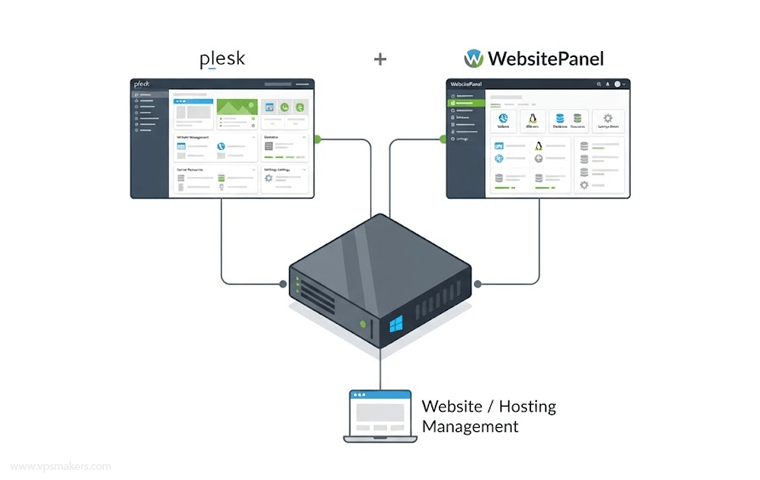
Windows Server works with control panels like Plesk, WebsitePanel, and its own Server Manager. Plesk is the most popular choice for Windows hosting. It helps with website management, email, and databases, similar to cPanel.
The Server Manager has tools for managing IIS, Active Directory, and other server tasks. It is strong but needs more technical skills to use compared to other control panels.
Windows has often been a big target for malware, but Linux servers are also often attacked. These attacks can happen through SSH, weak web apps, open services, and automated methods. Both systems need proper setup and regular updates to be secure.
Security Features For Web Hosting
The safety of a web hosting server relies a lot on how the operating system and server software are set up, kept up, and updated. Both Linux and Windows Server have security features like firewalls, access controls, user management, encryption, and updates.
Linux safety is better for web hosting because it has strong permission rules, many security tools, and can be easily set up for a simple server. However, neither system is safe on its own without proper updates, security measures, monitoring, and access control.
Linux Security Features For Web Hosting
Linux has file permissions for access control and also built-in kernel protections, providing firewall options like UFW, fail2ban, firewalld, iptables, and also has various active monitoring tools. For using hosting on your VPS, you have to open ports 443 and 80 with your firewall.
Linux can run cracked versions of applications, but because it relies on package repositories and open-source software, the possibility of backdoors and trojans is lowered.
for improving your Linux VPS security, you have to update your Linux to the latest bug-fixed release.

Windows Security Features For Web Hosting
Windows Server includes Windows Defender, Windows Firewall, and BitLocker encryption as built-in security tools. Windows Server also supports Active Directory for centralized access management, which is recommended for production environments.
Security updates from Microsoft fix known vulnerabilities, but the required reboots for updates can affect server availability.
Windows Server is commonly targeted for malware and automated attacks, but this doesn’t mean Windows is insecure; you should have patch management and well security configuration.

Cost of Running Linux vs Windows Web Server
Web Server running depends on various costs, like hardware needed, software plans, technical skills, operating system licenses, and management costs.
Linux is usually cheaper because of open-source applications and doesn’t need specific hardware support, so this can lower both software and hosting costs.
Linux Hosting Costs
Linux distros like Ubuntu Server, CentOS, AlmaLinux, Debian, Rocky Linux, and Fedora Server are free to download and use.
Because these are open source with zero cost to install on servers, the cost of web server running is being lower. Red Hat and Ubuntu Pro offer paid support plans, but the base OS remains free to deploy.
Most Linux operating systems are free because of Linux’s open-source nature. The lower hardware resource requirements also mean that Linux can run on less hardware, reducing costs. Shared hosting plans on Linux are the lowest-priced service options that providers offer.
With VPS growing, the server costs are also lower because operating systems do not add to any additional license pricing.
Windows Hosting Costs
Because of the licensing fees for Windows hosting and other Microsoft products, a Windows Server costs 20% to 50% more than a Linux VPS. In Windows Server license price, higher hardware resources require higher costs.
Windows Server requires a paid license, and the cost varies by edition and the number of cores you license.
A Windows Server Standard license can cost several hundred dollars, and additional Client Access Licenses (CALs) may be required for user or device connections, but if you buy a Windows Server VPS, you have a license for Windows Server.
For businesses that need Microsoft tools, the extra cost makes sense because of the benefits of working well together. But for websites that don’t use .NET or other Microsoft tools, the extra cost is not helpful.
Linux vs Windows for Web Hosting
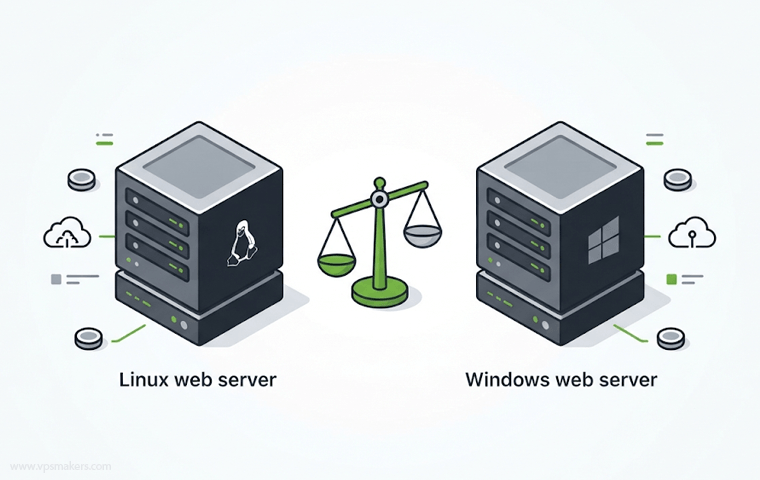
Both Linux and Windows can host websites, but they are used for different needs. Linux is better for speed, cost, and flexibility, so many people choose it for web hosting. Windows is important for apps made with Microsoft tools and is good for users who like a visual management system.
Here are the main differences between the two platforms:
| Subject | Linux | Windows |
| CPU & RAM Usage | Lower resource usage | Higher resource usage |
| Web Server Software | Apache, Nginx, LiteSpeed (IIS can be install) | IIS, Apache, Nginx |
| PHP & WordPress Support | Excellent, native optimization | Supported, but less optimized |
| ASP.NET & .NET Support | .NET Core only (cross-platform) | Full support for all .NET versions |
| Control Panels | cPanel, Plesk, CyberPanel | Plesk, WebsitePanel |
| Security | Strong with fast community patches | Strong, but requires regular updates |
| Stability | Excellent for long-term uptime | Good, but may require more reboots |
| Licensing Cost | Free (in some case for pro plan you have to pay) | Requires paid Windows Server license |
| Overall Cost | Lower | Higher due to licensing and resource needs |
| Best For | WordPress, PHP, Python, Ruby sites | ASP.NET, .NET Framework, MSSQL apps |
Summary
The best operating system for your website depends on your technology needs, budget, and how you like to manage things on your website.
For most web hosting, Linux is usually the best choice. It works well with fewer resources, is compatible with popular apps like WordPress and PHP sites, and costs less because there are no licensing fees. There are many free and paid control panels for Linux.
Windows Server is better if your website uses ASP.NET, the .NET Framework, or needs Microsoft SQL Server. It’s also good if your organization already uses Microsoft tools like Active Directory and Azure. Windows can be easier for those who prefer a visual interface instead of using commands.
If your app doesn’t need Microsoft tools, Linux will save you costs and perform better. If you need Microsoft features, Windows Server is the better choice.
FAQ
Can PHP run on Windows Server?
Yes, PHP can run on Windows Server with IIS or Apache, and the official PHP project offers ready-to-use versions for Windows. However, PHP performance and stability are optimized on Linux, which is why Linux is the recommended platform for PHP hosting.
Can Host ASP.NET Applications on Linux?
ASP.NET Core and .NET 5+ applications can run on Linux. However, the classic .NET Framework is Windows-only and requires Windows Server with IIS to run.
Which Operating System is Best For WordPress Hosting?
Linux is the best operating system for WordPress hosting. The LAMP (Linux, Apache, MySQL, PHP) and LEMP (Linux, Nginx, MySQL, PHP) stacks are optimized for WordPress and provide the best performance and compatibility.
Which is More Secure For Web Hosting, Linux or Windows?
Both operating systems can be secure with good configurations. Linux has a smaller attack surface and benefits from fast-release security patches. Windows is a more common target for malware but includes built-in security tools like Windows Defender and Active Directory.