

To install Docker on Windows Server, you need to install Docker Engine because Windows Server doesn’t support Docker Desktop; the desktop version is only compatible with Windows 10 and 11.
Docker Inc changed how Docker is distributed. Docker Desktop is their main product for Windows, which is not suitable for Windows Server, and Docker Engine for Windows has been replaced by the Moby Engine, which is based on the Moby project and the Mirantis Runtime Container (Enterprise) Version.
Both Mirantis and Moby are working on the same Docker core, so you won’t face any problems running your projects.
Install Mirantis Runtime Container on Windows Server
Mirantis Container Runtime (MCR) is an enterprise version of the Docker engine, maintained by Mirantis Inc which is mostly used in production environments for running big projects.
Mirantis Runtime container only supports Windows Server 2019 – 2025, and you need at least 16GB of RAM, 10GB of free space, and 2 vCPUs for each node. Which means you need a high-end Windows VPS Server to run a production project.
To start the installation process, you need to connect to your Windows Server using RDP or, if you are using local server access, to it.
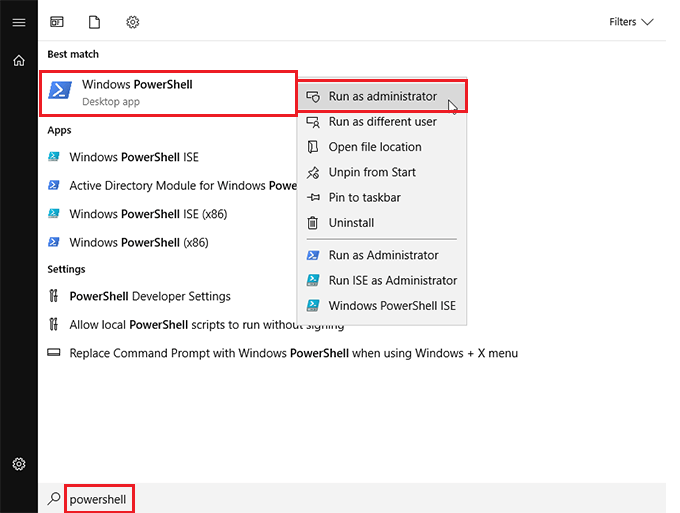
Run PowerShell as Administrator in Windows
First, run PowerShell as an administrator. Click on the Start button or press Windows key > search for PowerShell> right-click> click on run as administrator.
Enable Container Feature in Windows
The container feature in Windows is a built-in component that allows you to run containers on Windows, and it turns your Windows Server into a container host.
Install the container feature:
Install-WindowsFeature ContainersRestart:
Restart-ComputerDownload Mirantis Container Runtime
Download Mirantis Container Runtime using these commands:
Set-ExecutionPolicy RemoteSigned -Force -Scope Process

Invoke-WebRequest -UseBasicParsing https://get.mirantis.com/install.ps1 -OutFile install.ps1
Run Mirantis Runtime Installer Script
After downloading MCR, run this command to run the installer script to start installation:
.\install.ps1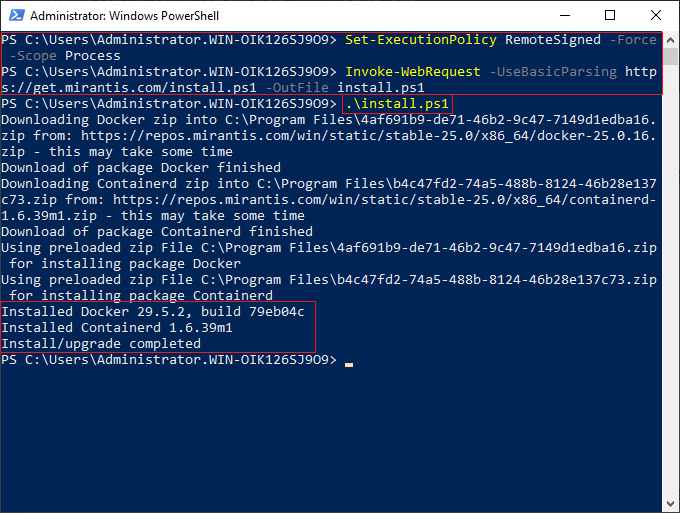
Verify Docker Installation on Windows Server
After installation completes, you need to verify whether Docker was installed successfully or not.
Check version:
docker version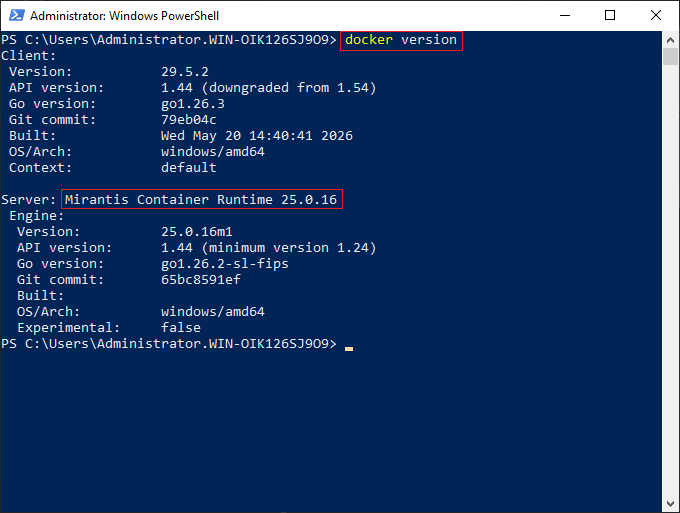
Now your MCR should have been installed, but it is the limited version that you can run containers and test.
If you want production use or want to access enterprise features or support, you need to provide a licence from the Mirantis store, whose prices start from $1,125 / 1 node per year.
Install Moby Container on Windows Server
Moby Container is an open source version of Docker Engine on Windows Server, which is maintained by Microsoft, that, in most of the times its getting used for simple projects.
To start the process, access your Windows Server and run PowerShell as administrator. Then follow the steps below:
Download Docker Engine Package from Microsoft’s Official Repository
To download the package to install, run the command below:
Invoke-WebRequest -UseBasicParsing "https://raw.githubusercontent.com/microsoft/Windows-Containers/Main/helpful_tools/Install-DockerCE/install-docker-ce.ps1" -OutFile install-docker.ps1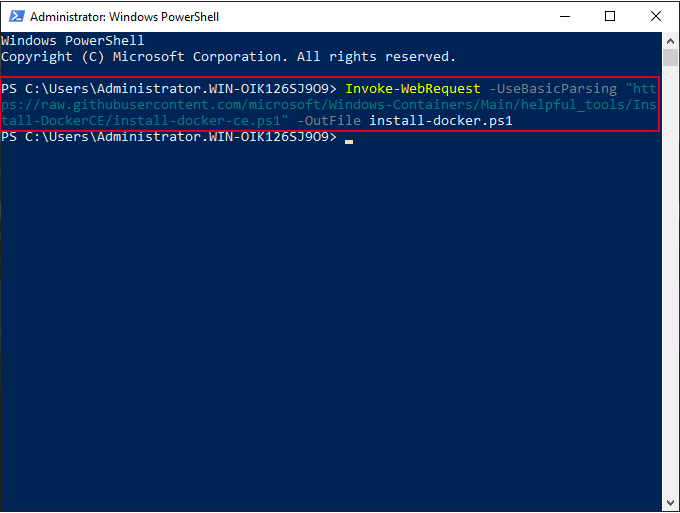
Install Docker Engine (Moby) on Windows Server
Then run this command to install the downloaded Docker Engine package:
.\install-docker.ps1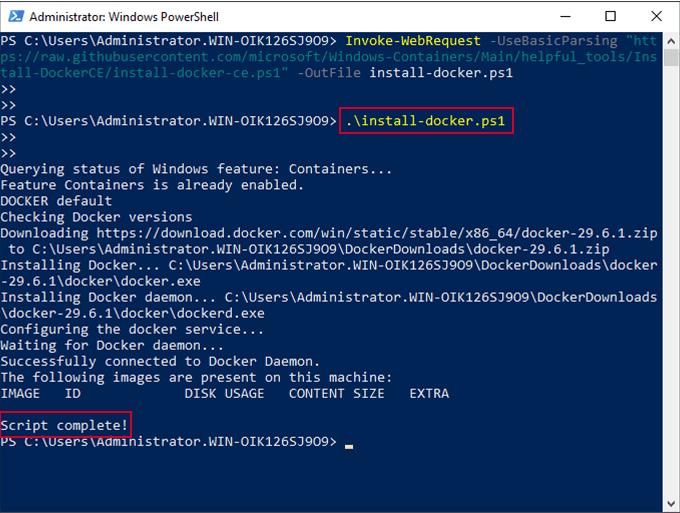
Restart Windows
After the installation finishes, you need to restart your device:
Restart-Computer -ForceAfter restarting, open PowerShell again and check if it is installed or not with this command:
Check Docker Version in Windows Server
Run this command to check Moby Engine (Docker Engine) version:
docker version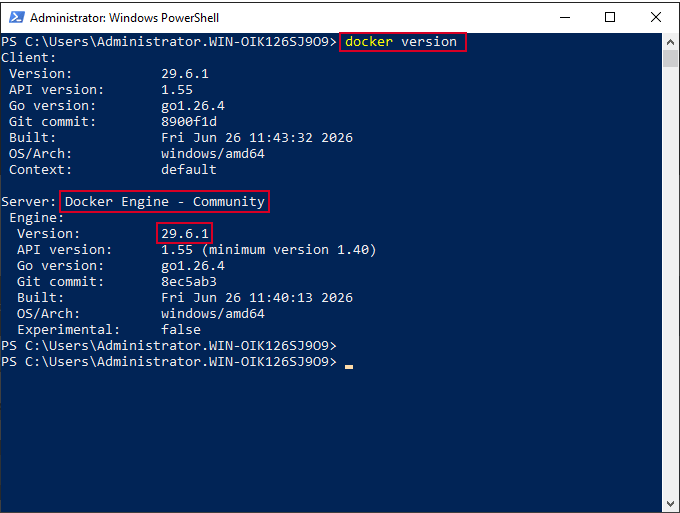
If you saw a version number like the image above, it means you’ve installed Docker successfully! Now you can run your containers on it.
Docker Engine vs Docker Desktop
Docker Engine is the core system that actually runs and manages the container, and it’s lightweight and mostly used in servers like Linux Server or Windows Server.
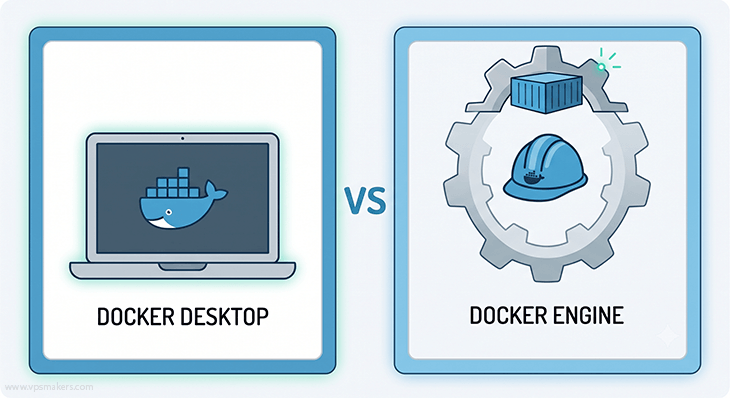
On the other hand, Docker Desktop is a full application that has Docker Engine in it, plus a GUI, extra tools, and system integration like WSL2.
In terms of performance, Docker Engine is more efficient because it’s running directly on the system, while Docker Desktop runs Docker inside a virtual environment like WSL2 or VM (Virtual Machine)and some other background services.
So they both use Docker Engine in the core, but Docker Engine is more minimal and production-focused, while Docker Desktop is more user-friendly and development-focused.
| Features | Docker Engine | Docker Desktop |
|---|---|---|
| Type | Core container runtime | Full app(Engine+GUI) |
| Interface | CLI only | GUI + CLI |
| OS Support | Linux | Windows + macOS |
| Setup | Manual | Easy installer |
| Production use | Yes | No (Developing only) |
| Extras | Minimal | Built-in tools (Kubernetes, dashboard) |
Why Do We Have to Install Moby?
Docker’s official website does not distribute Docker Engine for Windows Server anymore. It is replaced with the Moby project, which is being maintained by Docker Inc itself.
And Microsoft itself took the containerizing responsibility with Windows container features.
Mainly, it’s because containerizing on Windows relies heavily on the Windows kernel, which is closed-source and tightly integrated with the operating system. So in this situation, Microsoft is in the best position to ensure compatibility, stability, and performance on Windows containers.
In here, Moby acts as the main core of containers, which includes Docker features, and it’s so lightweight, making it the
Moby VS Mirantis
Moby and Mirantis Runtime Container are both working on the same Docker core but have some differences.
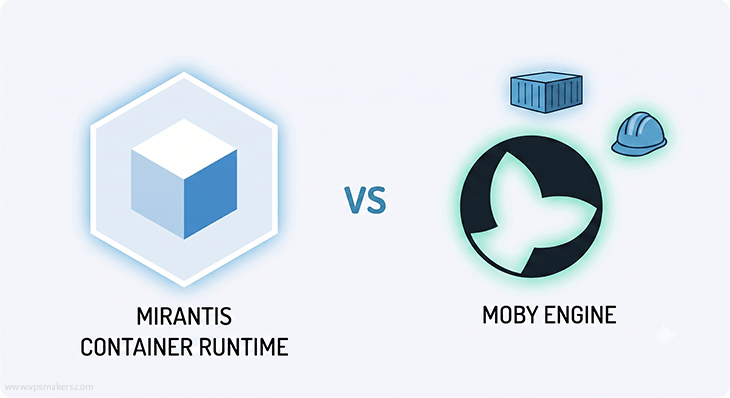
Here in this table, you can see the difference between Mirantis container runtime and the Moby project.
| Type | Open-Source | Enterpise Product |
| Cost | Free | paid(Licence Required) |
| Maintained By | Microsoft + community | Mirantis |
| Support | Community Support | Official Enterprise Support |
| Stability guarantees | Best effort | SLA-backed |
| Updates | Community-driven | Enterprise-tested releases |
| Security patches | Available but manual tracking | Regular + guaranteed |
| Best for | Learning, small projects | Production, enterprise |
Best Platform to Run Docker
Docker can run on many operating systems, so you can use it in different environments.
You can install Docker on Linux distributions like Ubuntu and CentOS, and also on Windows Server, Windows 10/11, and macOS. The installation steps are different on each system, but Docker works the same way on all of them.
Note:
For Linux users, the installation process varies between each distribution, so it’s important to follow the correct method for your system, whether you are looking to install Docker on Ubuntu or install Docker on CentOS.
Hyper-V Isolation in Docker
Docker containers were originally designed for Linux, where they share the Linux kernel. Windows uses a different kernel, so it cannot run Linux containers natively without a compatibility layer or virtualization layer.
On Windows Server, Docker runs Windows containers using the Windows kernel, with two isolation modes: process isolation and Hyper-V isolation.
For stronger security and better isolation, Hyper-V isolation can be enabled, which runs each container inside a lightweight virtual machine. This VM includes its own minimal Windows kernel, allowing the container to run in a fully isolated environment separate from the host system.
If you don’t know how to enable Hyper-V on your Windows server, you can follow the article below:
Which Port Does Docker Use?
Docker does not use fixed default ports for applications running inside containers. Each container runs its own application on a port defined by the application itself or by the user during container creation.
You can manually bind container ports to host ports using port mapping, or use port forwarding through NAT rules. After exposing the ports, you must open the ports through Windows Firewall if you want external access.
Docker engine itself uses management ports (like 2375 and 2376) only if remote API access is enabled. These ports are not required for normal usage. If you don’t use them and want to improve your server security, you can block ports from the firewall.
Conclustion
To run Docker on your Windows Server, you need a container runtime since Docker Desktop is not supported, and Docker Engine is no longer officially available.
You can choose and install the Moby (Open-Source) or Mirantis Container Runtime (Enterprise) based on your needs. If you want to run a complex project in a production environment and want to use enterprise support and features, you need to install Mirantis Container.
Otherwise, you can install Moby Engine, which is a normal Docker Engine that you can use for free on your Windows Server.