What is Best OS For Game Server (Windows / Linux)
Setting up a game server can be exciting. But it can be confusing when it comes to choosing the right Operating system and server. The two main options are Linux and Windows; each offers unique advantages depending on your needs.
Both options have their strengths and weaknesses, and the best choice is up to your needs and experiences.
In this article, we will compare both Linux and Windows for game servers to help you choose the best option that best suits your needs.
What Is a Game Server?
A game server is a physical or virtual machine that hosts and manages multiple game sessions. This helps users connect to the server and play online with other players.
It is the main system that handles all game logic, physics, and other calculations instead of the user’s own computer. For more detailed information about game servers, you can read our dedicated article about what is game server?
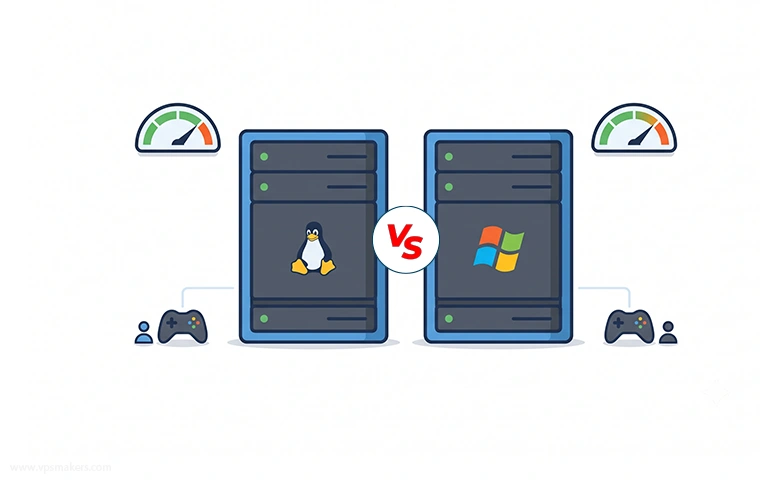
Windows vs Linux for Game Servers
Windows and Linux are the two main choices when choosing operating systems for hosting games, but they offer different advantages. Windows is generally easy to manage because of its graphical interface and familiar environment, so some users go to this side.
But it has some limitations in game server hosting.
Linux, on the other hand, is widely used for server hosting because its powerful command-line tools, flexibility, low resource usage, and security features make it a better choice for hosting.
But as told before, choosing it depends on some factors. In the following sections, we will explain it more.
Architecture and System Design
Windows and Linux differ in how they approach system design and administration. Windows offers a user-friendly integrated system, but Linux offers greater control over the system services and configurations.
In this factor, Linux has the upper hand because it offers a highly customizable environment.
Resource Management and Efficiency
Game servers need consistent access to CPU, RAM, Storage, and Network resources.
Linux itself usually uses fewer resources for the operating system itself and background apps and services, which can dedicate more system resources to the game server and make it run better.
Windows can use more resources for running other systems in the background, but it can be a better choice for some games that require Windows-specific software and components.
Licensing and Cost Differences
Linux distributions are generally free to use, which can reduce the overall cost of setting up a game server. But Windows Server requires a licence, which can increase hosting cost depending on the licence model and provider.
For larger game server deployments, like deploying distributed game servers, the licence cost can be an important factor.
Linux and Windows Performance Comparison in Game Servers
Performance is the most important factor while deploying a game server. The operating system itself doesn’t control or determine the entire server performance. But it affects how system resources are managed and how efficiently a game server can use the available hardware resources.
Both Windows and Linux can provide excellent performance for game servers. However, Linux is often the preferred OS for servers, but Windows can also deliver excellent performance, particularly when the game server is designed and optimized specifically for Windows.
CPU and RAM Usage
Game servers continuously use CPU and RAM to process game logic and other server tasks, and the operating system itself consumes some resources too for running its own services and background processes.
Linux distributions can be configured to use a minimal set of system resources, which means more CPU and RAM are available for the game server itself. This can be useful for smaller VPS setups with limited resources.
Windows generally requires more system resources for running the operating system itself and background services and apps, but some services are additional, which you can disable or configure to make Windows lightweight and compatible for a server environment.
To learn how you can configure and manage Windows RAM resources, you can follow this article:
How to manage RAM Usage in Windows?
But in general, Linux has an advantage in resource efficiency.
Server Stability Under Load
Game servers need to remain stable under heavy workloads when multiple players are connected, or the server is processing a large amount of data. CPU load, memory pressure, background processes, and a poorly configured server can affect the stability of a game server.
Linux is commonly used for long-running server workloads because administrators have the ability to configure each service individually and configure the system for the server especially. It also has a lot of monitoring and command-line tools for identifying resource problems.
Windows Server is also capable of running stable game servers under heavy workloads. Its graphical management tools helps administartors to manage everything more easily, particularly for users who are familiar with windows enviornment.
In both operating systems, the server’s resources, game configurations, and administration are much more important than the OS itself because both can handle heavy workloads.
Latency and Network Performance
Network latency is one of the most important factors while playing games online on a server. Network latency handles the delay between players.
The operating system is only one part of the latency equation. The server’s physical location, network provider, the distance of the server from the player, and firewall configurations have much more effect than whether the server runs on Linux or Windows.
Both operating systems can provide excellent network performance with proper configuration, so when setting up a game server, if you want lower ping and latency, you need to choose the location that is nearest to you. This is more important than the OS itself.
Real-World Performance Benchmarks
There is no universal benchmark that can prove Linux is better than Windows in a game server. Results can depend on the game, server resources, configuration, and number of online players.
In some workloads, Linux has achieved better performance because of its lower system overhead. In other cases, Windows Server can perform as well as Linux when it’s properly configured and optimized and when the game server is especially designed for Windows itself.
The comparison measures should be the same on the same resources, configurations, and on the same game to see their main performance differences.
But in most cases, Linux is a better choice when resource efficiency, server control, and flexibility are priorities.
Here in the table below, you can see an overall performance comparison of both operating systems.
| Performance Factor | Linux | Windows |
|---|---|---|
| CPU & RAM Usage | Generally lower resource | Higher resource usage |
| Performance Under Load | Great with proper configuration | Great with proper configuration |
| Server Stability | High access in configuration and stable in long running workloads | Stable and easy to manage |
| Network Performance | Excellent with proper configuration | Excellent with proper configuration |
| Latency | Depends on Server Location and Network speed | Depends on Server Location and Network speed |
| Resource Efficiency | Generally better | Good, but usually requires more resources |
| Server Control | High level access and highly customizable | Good control with GUI |
| Best For | Most of the games or supported and great | Windows based games |
Game Compatibility and Support on Linux and Windows Servers
Not every game provides support for the same server software and operating system, so when choosing the server OS, you need to make sure that the game you want to deploy the server for supports it.
Native Support for Popular Games
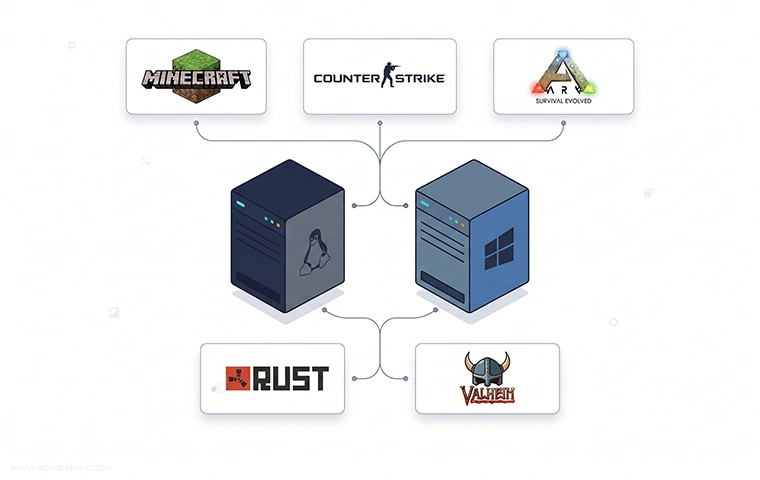
Many popular games provide dedicated server software for both Linux and Windows. Popular games like Minecraft, Counter-Strike, Valheim, and many others can be hosted on both Windows and Linux.
Linux has an advantage when a game provides a native Linux server version because it doesn’t have to simulate a compatibility layer. However, some games only provide official server software for Windows.
Before anything, check your game documentation to ensure which OS’s it has server software for.
SteamCMD and Dedicated Server Tools
SteamCMD is a command-line application from Valve that is commonly used to manage dedicated game servers distributed through Steam. This app is supported on both Windows and Linux. It is useful for managing many Steam-based game servers.
Using it, administrators can automate installations and updates, using shell scripts and scheduled tasks.
The availability of SteamCMD doesn’t mean that every Steam game has a dedicated server for both operating systems. The game developers still determine which platform their game is available on.
Modding and Custom Server Support
Some games offer modding frameworks or applications that allow other developers to create mods for these games. In-game servers, you have the option to add these mods and plugins to your server that affect the user experience and how your server should be managed.
Both Windows and Linux can run and manage these mods and plugins. Choosing to use either Windows or Linux here fully depends on your own choice and which one you are more comfortable with.
Game Server Installation on Windows and Linux
Installing a game server on both of the operating systems is generally straightforward, but the process is different. In Windows, for some games, you can download and configure server files through a graphical interface or using some tools like CMD or PowerShell.
But on Linux, game server installation is done through the terminal, like everything else.
Windows and Linux Game Server Cost Differences
Cost is another important factor that can affect all other things in choosing a server for your games. Linux is generaly cost effective than Windows because most of its distributions are free and you don’t have to pay extra licence fees for the operating system itself.
But Windows requires a paid licence to run, which can increase the total cost of hosting, especially when running multiple servers. But some providers include that Windows licence price in the VPS or dedicated server price.
You can buy a licensed Windows Server or Windows Desktop VPS which you can use as your game server: Buy Windows VPS
But the actual cost is not the Windows licence price; the price mostly depends on server hardware resources and management costs. For a small private game server, Linux VPS can be more affordable than Windows.
Popular Game Servers on Windows vs Linux
The operating system for each game depends on the game’s support on that OS. In the next sections, you will see some popular games
Minecraft Server Hosting
Minecraft is one of the most popular games, with dozens of online servers running on the internet. It offers highly customizable gameplay through its mods and modpacks. Its server files are supported on both Windows and Linux.
In most Minecraft server setups, Linux is the preferred choice because it is lightweight and can run continuously with minimal system overhead. This allows more resources to be allocated to the game server instead of the operating system.
Counter-Strike / CS:GO Servers
Counter-Strike is one of the other games that is very popular, and it’s available on Steam, which gives you the option to use SteamCMD for automation setups.
Here in this setup, if you want to use SteamCMD for automation, it’s better to use Linux because SteamCMD runs very efficiently on Linux, and Linux servers’ latency is much lower than Windows ones, which, in competitive games, is a very important factor.
Windows can be used for Listen servers, where one player hosts the game while they’re playing the game.
In the table below, you can see some other popular game servers along with their supported operating systems.
| Game | Windows | Linux |
|---|---|---|
| Minecraft | ✅ Supported | ✅ Supported |
| Counter-Strike | ✅ Supported | ✅ Supported |
| Rust | ✅ Supported | ✅ Supported |
| Valheim | ✅ Supported | ✅ Supported |
| ARK: Survival Evolved | ✅ Supported | ✅ Supported |
| ARK: Survival Ascended | ✅ Supported | ❌ Windows Only |
| Satisfactory | ✅ Supported | ✅ Supported |
| 7 Days to Die | ✅ Supported | ✅ Supported |
Game Panels and Server Management Tools
Game server control panels make it easier to install, configure, manage, and monitor your game server without relying entirely on the command line. They can provide features such as access to the game console, file management, server configuration, and automated tasks.

Both Linux and Windows support game control panels, although the available options vary between operating systems.
Setting up and managing a game control panel on Ubuntu Linux or Windows Server is a separate topic that requires its own considerations, such as installing a game panel, configuration, security, and resource management.
Pros and Cons Summary
Both Windows and Linux can run reliable game servers, but they have some differences in their strengths. Linux has an advantage in resource management, flexibility, and being lightweight, which makes it an appropriate choice for server environments.
While Windows, with proper configuration and optimizations, can be a good choice too. It can be useful for users who are not familiar with the Linux terminal and want to use a familiar graphical interface that is easy to use and manage everything.
Here in this table, you can see the overall advantages and disadvantages of using each Operating system for deploying a game server.
| Factor | Linux | Windows |
|---|---|---|
| Performance | Excellent even with low system resources | Good, but need higher resources to work better |
| CPU & RAM Usage | Lower resource usage | Higher resource usage |
| Game Compatibility | Excellent for games with native Linux server support | Excellent, including Windows-only games |
| Game Server Support | Strong support for popular dedicated servers | Strong support for popular dedicated servers |
| Server Stability | Excellent for 24/7 running | Good, but requires more system maintenance |
| Control Panels | Wide range of options | Good selection, but fewer open-source options |
| Security | Strong, with extensive configuration options | Strong, but requires regular updates and configuration |
| Licensing Cost | Usually free | Requires a Windows Server license |
| Overall Costs | Lower | Higher because of licence on more resource need |
| Best Use Case | Running private small game servers up to large sized game servers with hundreds of users | better for windows dependant game servers and local game servers |
Which OS Should You Choose?
After considering the differences between Linux and Windows, the best operating system depends on the game you want to host and how you plan to manage the server.
For most dedicated game-server environments, Linux is the better overall choice. It offers better resource efficiency, powerful automation and scripting options, lower operating-system overhead, and no additional operating-system licensing costs.
Windows is a better choice when the game server requires Windows or depends on Windows-specific software and tools. It can also be a convenient option when the administrator wants to use a Windows environment and prefers a graphical interface for managing the server instead of a terminal.
These advantages make Linux particularly suitable for running multiple game servers on the same VPS or dedicated server.

The Author Jacob R
i am Jacob a developer and cybersecurity enthusiast with strong skills in web development and a passion for building practical digital solutions,Working on web development for 4 years. Hope my guides be helpful
More from Jacob R