Best VPS For Trading Platforms
The Best VPS for trading is a reliable Windows VPS with low latency and high uptime, and enough system resources (CPU and RAM) to be able to run trading software continuously.
The ideal configuration and choice depend on the platform you use, the number of trading applications you run, and the location of your broker’s infrastructure.
A trading VPS can help you to run MT4, MT5, or TradeStation applications running 24/7 online without needing to leave your personal computer running continuously. It reduces the risk of losing internet connection and power and provides a reliable and stable platform for traders.
Best VPS for Trading Platforms
A trading VPS should be able to run 24/7 nonstop with low latency without any downtime and should run multiple trading software and other applications at the same time.
When choosing a trading VPS, you should consider that the VPS should be near the broker’s location, and you should also consider the resources required by your platform and automated strategies.
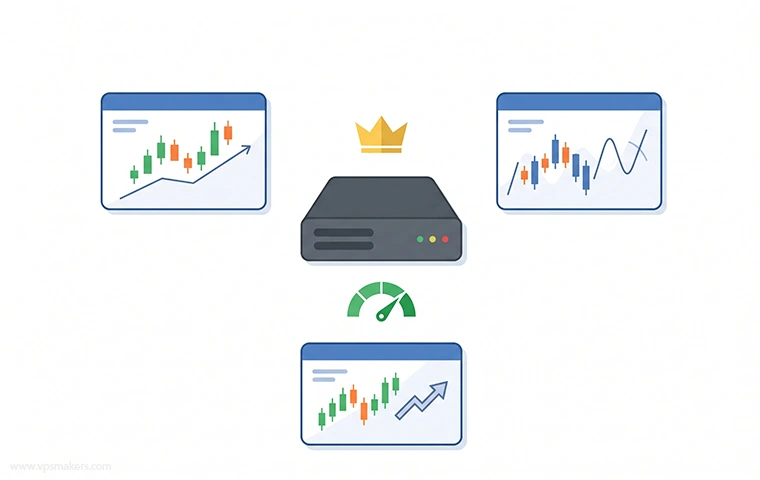
A single MT4 or MT5 installation may require few resources, while running several platforms, applications, and algorithms simultaneously can be resource-consuming.
Best VPS for MetaTrader 4 and MetaTrader 5
For MetaTrader 4 and 5, the most convenient choice is a Windows VPS because the desktop trading platforms are designed to run on Windows. A VPS allows mt4 or mt5 to remain online even when your personal computer is turned off or disconnected from the internet.
For a single MT4 or MT5 installation, a VPS with a minimum of 2 CPU cores, 2 GB or 4 GB of RAM, and SSD storage is usually a normal starting configuration.
If you need to run multiple charts, terminals, indicators, or expert advisors (EAs), you should consider increasing your CPU and RAM resources.
Best VPS for Automated Trading
Using a VPS is particularly useful for automated trading because trading bots and expert advisors should be continuously online.
So it’s better to use a VPS because relying on a personal computer can lead to problems, as there is a possibility of unexpected shutdowns, restarts, and internet connection loss.
To automate trading, you should run multiple apps, trading strategies, and algorithms all at once, which can consume higher RAM and CPU and need larger storage.
The larger storage can be used for saving backups to have a recovery point, which is very important in trading cases.
How Does a Trading VPS Work?
A trading VPS is like a normal Windows that is running on a datacenter server which is always online.
You should just connect to that Windows Server using the RDP service from your local device and work on this platform. After finishing your job, you should leave the system running and close your connection to it.
Your connection to the broker will be like:
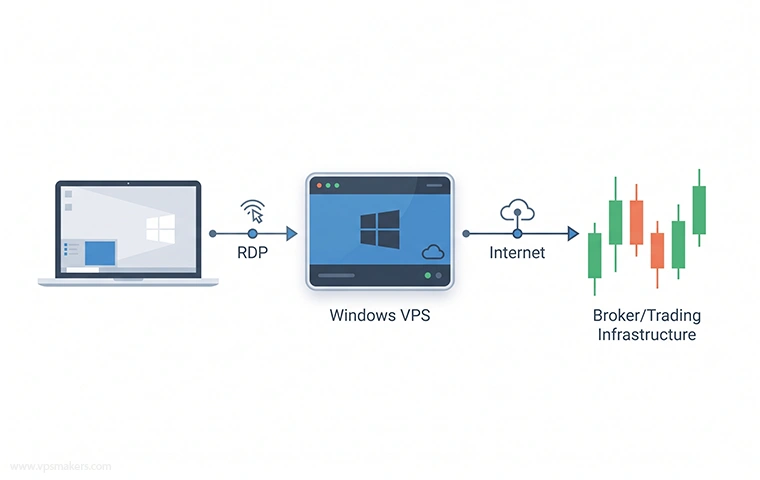
In this connection method, you are connecting to another virtual computer with Remote Desktop and connecting with it to your broker.
Here, your computer is used to access the VPS, while all trading software runs on the VPS. This allows you to access your trading platform from anywhere.
What Is the Best VPS Location for Trading?
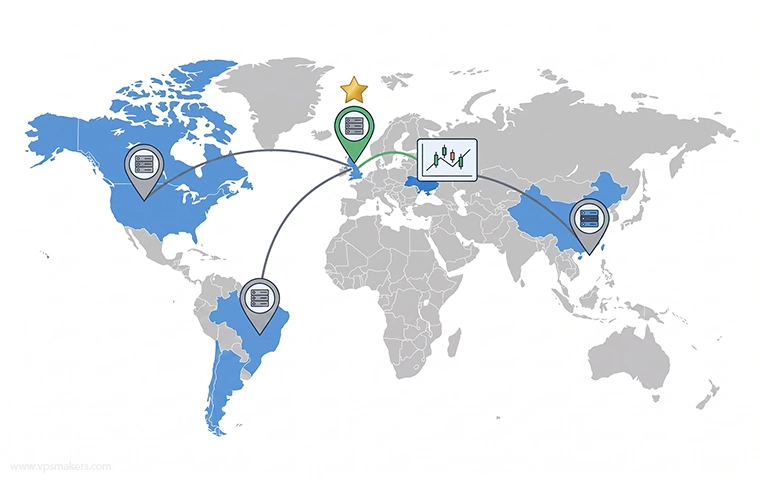
The best location for trading is generally the location that provides the best network connection to your broker’s trading infrastructure, rather than the location simply closest to you.
Why VPS Location Matters for Trading
When your trading platform sends a request to the broker, the data has to travel through hundreds or sometimes thousands of routers to reach the broker infrastructure.
To reduce this action, choosing the VPS that is geographically close to your broker infrastructure with the best measured network path.
How Close Should a VPS Be to Your Broker?
Ideally, it is better to choose the VPS that is in the same country as your broker infrastructure or at least on the same continent.
For example, if your broker trading infrastructure is located in London, a VPS in London or another European datacenter provides a better connection than a VPS in another continent.
How to Check VPS Latency to Your Broker
The best way to compare VPS latency is to test the connection from each VPS to the broker’s actual trading server. This allows you to compare different VPS locations and providers based on their network connection to the broker.
To test these things, you can buy VPS from different locations and check them one by one, or you can contact providers to test them for you.
ping BrokerDomainName.com
Or:
tracert BrokerDomainName.com
Keep in mind that these commands do not always represent the actual latency to your broker. They are useful for comparing network connectivity.
Does a Closer VPS Always Have Lower Latency?
No, physical distance is important, but it’s not the only factor for latency.
Network routing, peering between providers, datacenter connectivity, congestion, and brokers’ own infrastructure can affect latency too.
Sometimes using a farther VPS can have a better connection compared to physically closer ones.
So testing the connection latency with the methods mentioned before and comparing them can help in choosing your VPS location, or you can easily contact the VPS providers themselves to get advice.
Trading Platform Restrictions in Some Countries
Some trading platforms and brokers are not available in certain countries because of local regulations, sanctions, or the company’s own policies. These restrictions can prevent users from opening an account and accessing the platform.
A VPS gives you an IP address from another location that is not restricted and gives you access to these platforms that are restricted in your country. But some of them need identity verification or address verification to identify you.
But generally, using a VPS can bypass this problem. But in some cases, if the platforms check more than the IP and check your account information and other things, your account can be suspended.
Best VPS Specifications for Trading
There is no fixed amount of RAM, CPU cores, or Storage for a Forex VPS. It depends on your usage and workload, and it is different for every trader.
But for basic setups with one trading platform and some trading automation strategies, 2 to 4GB of RAM, 2 CPU cores, and SSD storage that has higher speed is recommended.
If you are running multiple trading platforms and automations, you should increase the resources. In the table below, you can see the overall resources needed for each setup scenario.
| Trading Setup | Minimum CPU | Minimum RAM |
|---|---|---|
| One trading platform | 2 CPU cores | 2GB to 4GB |
| One platform with several EAs | 2 to 4 CPU cores | 4GB |
| Multiple trading platforms | 4+ CPU cores | 8GB+ |
| Multiple resource-intensive strategies | 4 to 8 CPU cores | 8GB to 16GB |
These table values are not fixed numbers and can be different for each user, and you should consider Windows own resource usage too.
Best Operating System for a Trading VPS
The best operating system for a trading VPS is totaly depending on the trading software you want to use. But in most cases, using Windows is better because most of the desktop trading software is designed for Windows and works with better compatibility on it.
Windows VPS for Trading
A Windows VPS is generally the easiest option for desktop trading platforms because of the trading software compatibility.
Windows also provides Remote Desktop, which makes it straightforward to connect to the VPS, install apps, and manage the trading environment.
Linux VPS for Trading
The Linux VPS setups are usually cheaper and can be highly efficient for high server workloads, but they are not always the easiest choice for desktop trading platforms.
They normally don’t have a graphical interface installed on them and don’t support Windows trading software, but you can use some of them by installing some applications like Wine.
Using Linux with Wine to make it compatible for Windows applications can be hard to configure, and it may cause problems later.
If your trading platforms officially support Linux, it is better to use Linux; otherwise, using a Windows VPS is the safest method.
VPS vs Home Computer for Trading
A VPS and a home computer (personal computer) are mostly the same, and they differ in their operating platform and have different advantages.
A home computer gives you direct access to the hardware and does not require a monthly VPS fee. However, your trading platforms depend on your computer to remain powered on and connected to the internet.
A VPS is hosted on a datacenter server so it can remain online independently of your personal computer. This makes it a convenient choice for running trading platforms for whome they need to run automation strategies continuously.
The main reasons to choose a VPS are continuous availability, datacenter connectivity, and remote accessibility from anywhere, rather than simply having more computing power.
How to Choose the Best Trading VPS
While choosing a VPS for trading, you need to pay attention to some factors, which we’ve descused what they are in previous sections.
In the table below, you can see these factors and what they affect in trading all in one place:
| Factor to Check | Why It Matters for Trading |
|---|---|
| CPU | Higher CPU performance increases processing speed and helps run multiple applications smoothly. |
| RAM | More RAM lets you run more applications and processes without slowing down. |
| Server Location | A suitable location can provide a faster connection to your target server. |
| Network Quality | A fast and stable network provides reliable data transfer. |
| Uptime | Higher uptime means fewer service interruptions. |
| Operating System | Determines which applications and software you can run. |
| Price | Helps you choose the right resources within your budget. |
Conclusion
A good trading VPS should provide reliable uptime, stable network connection, low latency to the broker’s servers, and enough CPU and RAM for your trading workloads.
For most trading setups, the VPS needs to run a single MT4 or MT5; using a Windows VPS with minimum resources can be suitable, but for running multiple platforms and complex automation strategies, you need to choose a large configurations.
The server location is very important too when latency matters. Instead of choosing the VPS closest to you, you need to test connections to your broker’s infrastructure.
Ultimately, the best VPS for trading platforms is not the most expensive or most powerful setup available. It should provide the right balance of performance, reliability, stability, and affordability.

The Author Jacob R
i am Jacob a developer and cybersecurity enthusiast with strong skills in web development and a passion for building practical digital solutions,Working on web development for 4 years. Hope my guides be helpful
More from Jacob R